What's new · Version 1.2.0
PDFs in seven more writing systems.
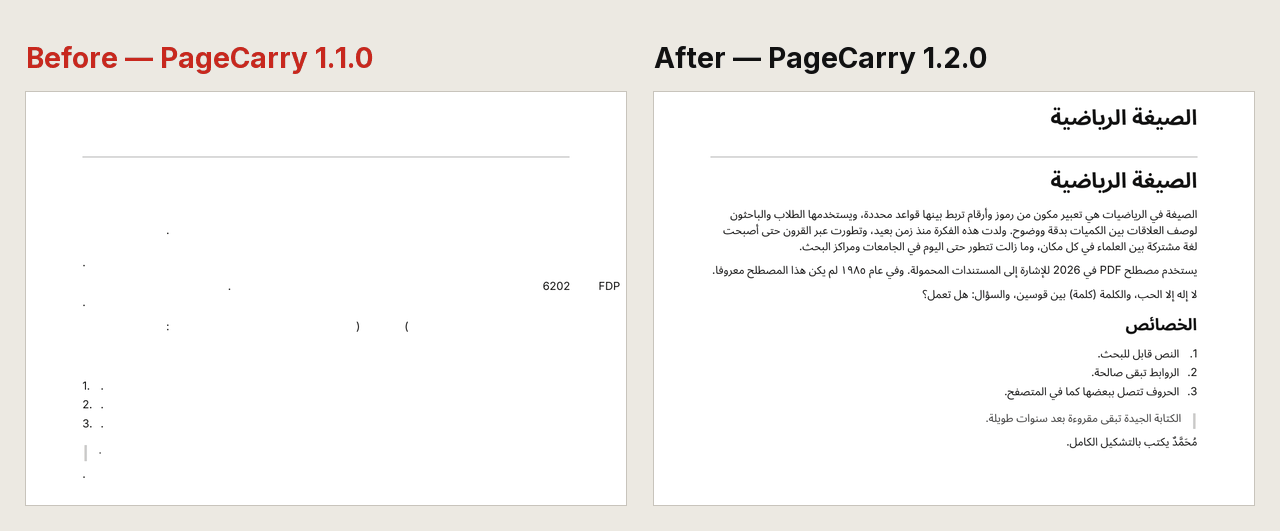
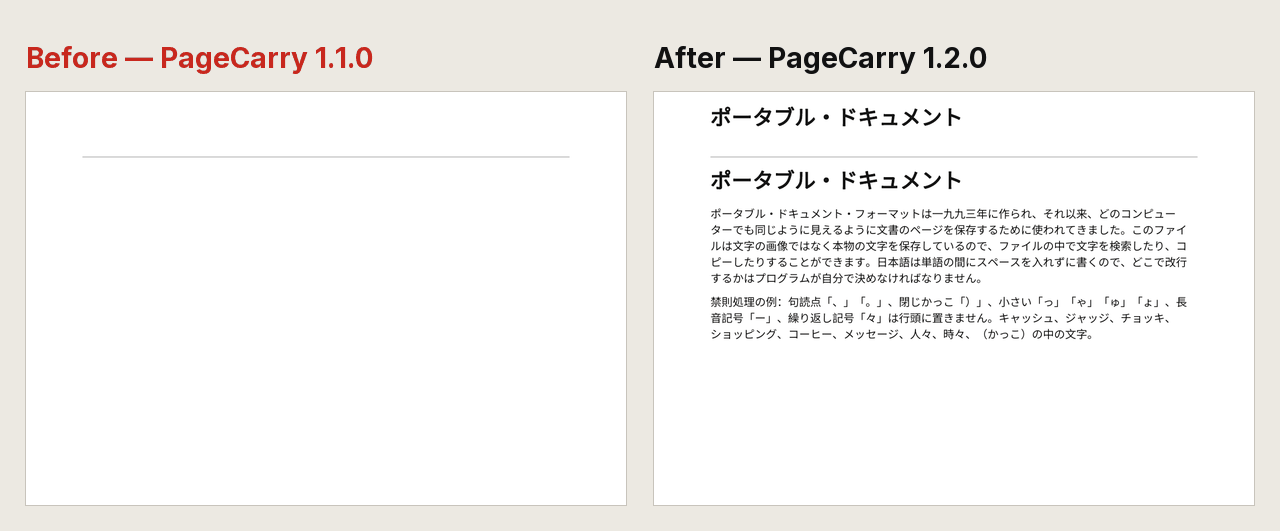
PageCarry 1.2.0 draws Arabic, Hebrew, Hindi (Devanagari), Thai, Chinese, Japanese and Korean in the PDF. Before this version, a page in one of these languages came out almost blank.
What was wrong before
A PDF can only show a letter if a font inside the file has a shape for it. Until now, PageCarry carried fonts for Latin, Greek and Cyrillic letters only. On a Japanese or Arabic page every letter was left out. What remained was the outline of the page: list numbers, punctuation and the occasional Latin word or number, and on right-to-left lines even those came out reversed (2026 printed as 6202). PageCarry counted the missing characters and said so in its window, but the file itself was not useful.
What 1.2.0 draws
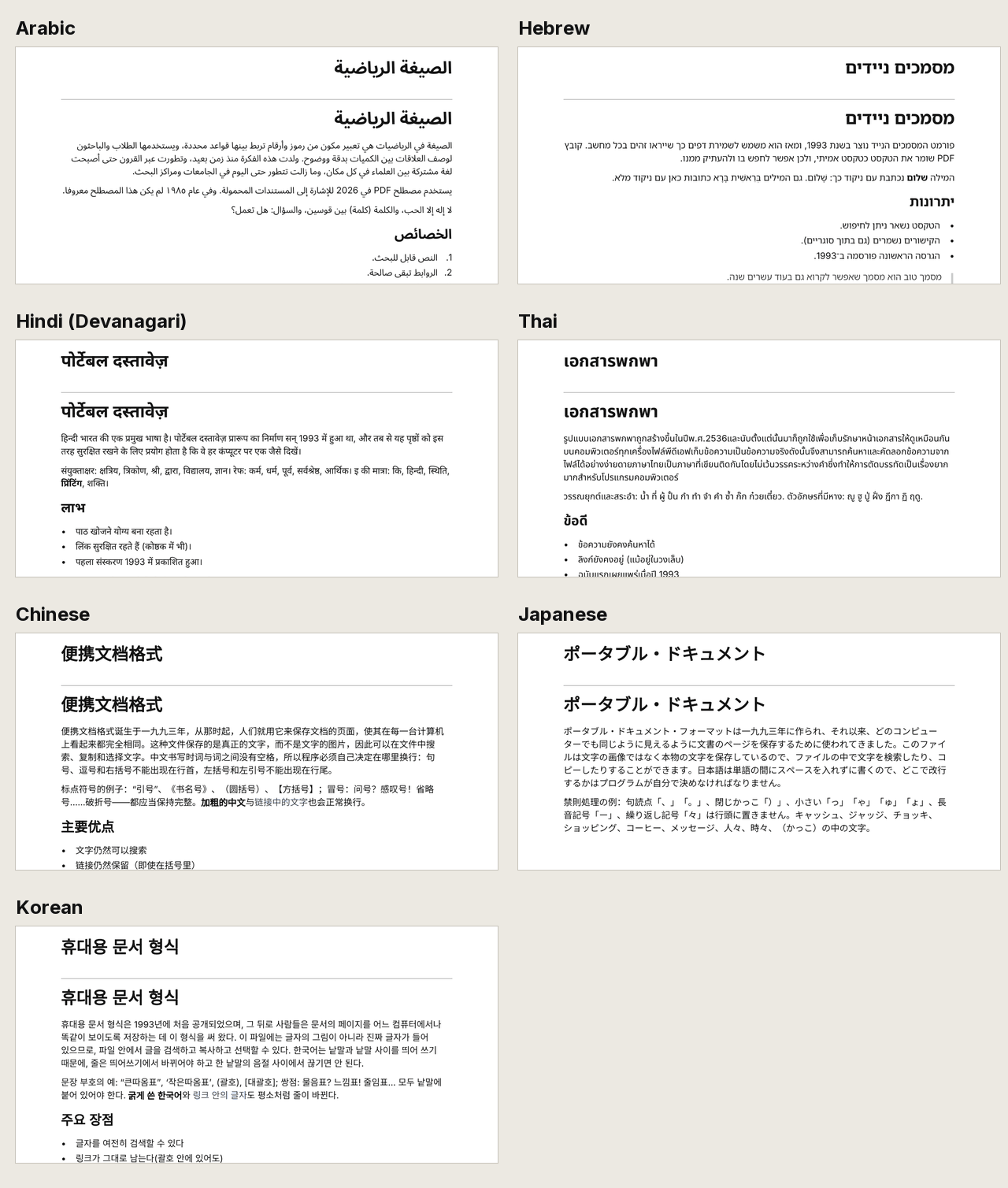
- Arabic and Hebrew read from right to left. Paragraphs, lists, quotes and tables line up on the right. A line that mixes Arabic or Hebrew with English or numbers keeps each part in its own direction. Arabic letters join and keep their dots, and vowel marks sit in place.
- Hindi and other Devanagari text draws its conjunct letters and vowel signs in the right places.
- Thai has no spaces between words, so PageCarry finds the word ends itself and breaks lines there. Tone marks sit in place.
- Chinese and Japanese lines break between characters, but never put a comma or closing bracket at the start of a line, or an opening bracket at the end.
- Korean lines break between words, not inside them, the way Korean text is normally set.
The text is real text, as in every PageCarry PDF. On our test pages we checked that the words come back correctly when you copy them, in Poppler (pdftotext) and pdf.js (the viewer inside Firefox) for all seven scripts, and in macOS Preview for all but Korean. For Arabic, pdf.js returns the right words but not always in reading order. Copy and search in Chrome's own PDF viewer is still on our manual test list for these scripts.
For Hindi, Thai, Chinese, Japanese and Korean we also compared where lines break with how Chrome breaks the same text. On our test pages they match, except after hyphens in Latin words: Chrome may break a line there, PageCarry does not.
Still local. Nothing extra is downloaded.
The new fonts ship inside the extension. They are open-source Noto Sans fonts (SIL Open Font License): Noto Sans Arabic, Hebrew, Devanagari, Thai, SC (for Chinese and Japanese) and KR (for Korean). When you save a PDF, PageCarry does not download a font and does not send your page to a server. It reads a font from its own files only when the page contains that script, and puts only the characters the page uses into the PDF.
That choice has a cost: the extension is bigger. The Chinese font alone is about 7.8 MB and the Korean font about 2.7 MB, so the installed extension is now a little under 16 MB. We picked this over fetching fonts from the internet, because making a PDF should need no network request except for the page's own images. The privacy policy describes all of it.
What is still missing
We would rather tell you now than have you find out in a saved file.
- Japanese and Traditional Chinese use Simplified-style character shapes. PageCarry has one font for Chinese characters, made for Simplified Chinese. Some characters therefore look the way they are written in mainland China, not the way they are written in Japan, Taiwan or Hong Kong. The text itself is not changed: copy it and you get the original characters. Hanja in Korean text uses the same font.
- No CJK Extension A. About 6,600 rare Chinese characters in this Unicode block are not in the font, to keep the extension smaller. If a page uses one, PageCarry counts it and tells you.
- No vertical text and no ruby. Vertical Japanese or Chinese is laid out horizontally. Ruby (small reading hints above characters) prints inline, right after the base text: 漢 with the reading かん becomes 漢かん.
- Bold Chinese, Japanese and Korean is synthetic. A real bold version of these fonts would add about 10 MB more, so bold text is the regular font drawn with a thicker outline. It reads as bold, but it is not a real bold design. Arabic, Hebrew, Devanagari and Thai have a real bold font.
- One style per script. Arabic and Hebrew have no italic design, so italic text in them prints upright. The serif setting changes Latin, Greek and Cyrillic text; the new scripts always use their Noto Sans font.
- Hebrew with vowel points. It draws correctly. When you copy it, Poppler and macOS Preview may separate the points from the letters; pdf.js does not.
- Other writing systems are not drawn yet. Bengali, Tamil, Gurmukhi and other Indian scripts, Syriac and Thaana still come out empty. As before, PageCarry counts the missing characters and tells you instead of failing silently.
How to try it
- Add PageCarry to Chrome, or wait for Chrome to update it to 1.2.0.
- Open a page in one of the seven scripts, for example a Wikipedia article in Arabic, Hindi or Japanese.
- Click the PageCarry icon and choose Save as PDF.